
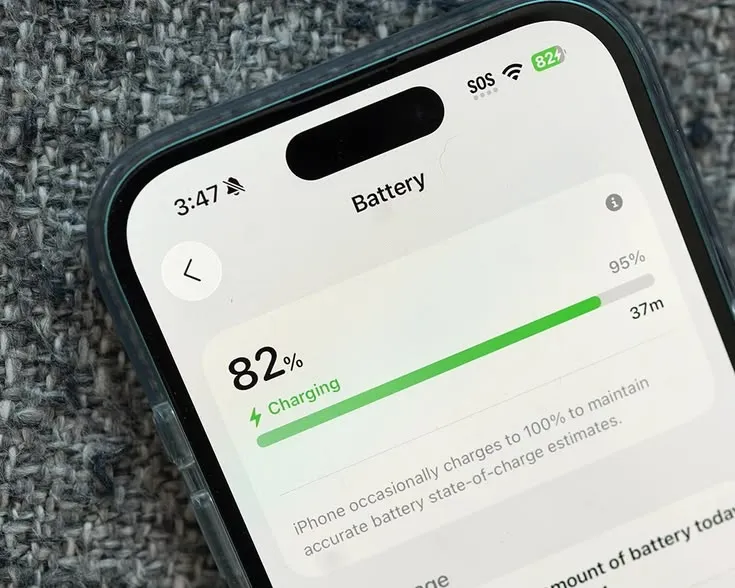
Here's a strange thought. The little number telling you how much charge is left could double as a name tag. Not your camera, not your location, just the slow drain of your battery, read by a webpage you happened to open.
Before this turns into a scare story, let's distinguish documented facts from hype. Battery-based tracking is a technique researchers demonstrated years ago, prompting major browsers to change course. This history shapes its relevance today. We'll examine how the Battery Status API became a tracking tool, why its precision was so powerful, how it could leak across private windows, what your charging routine reveals, and where Total Adblock can help.
A performance feature that found a second job
The Battery Status API wasn't built by villains. Browser developers added it so a website could behave considerately around your power. A video player might drop to a lower quality when you're nearly empty. A web app might delay a heavy background sync until you plug in. Reasonable stuff, aimed at saving you a few minutes of charge.
The catch is the level of detail it handed out. To make those decisions, a page didn't just learn you were "low." It could read precise numbers about your charge and your timing. And precise numbers, it turns out, are exactly what someone building an identifier wants.
That gap between intent and effect is the whole story here.
A feature designed to be helpful exposed something specific enough to single you out, at least for a while.
The short-lived "supercookie"
The reason this worked came down to precision. When a script queried the API in its original form, it didn't see a rounded estimate. It could see something close to three exact values:
- Level — your charge expressed with several decimal places, not a tidy percentage.
- Discharging time — the seconds your system estimates before the device dies.
- Charging time — when plugged in, the seconds until you hit full.
Stitch those together and you get a long, oddly specific string of digits. Your battery is always draining or charging, so that string keeps shifting every few minutes. But within a short window, say 30 to 60 seconds, the exact combination tends to be unusual enough to stand out from the crowd.

That's what made it a "supercookie." Open a news site and a shopping page seconds apart, and a tracker on each could read the same battery values to link your sessions. No file saved, no consent asked—just a number that briefly belongs to you.
This precision largely describes the old version of the API. After researchers showed it could fingerprint sessions, browser makers responded.
How it could slip past incognito
The part that unsettled people most was private browsing. You open an incognito window expecting a clean slate. The browser refuses to read your old cookies or history, and that genuinely isolates a lot.
What it doesn't change is the hardware underneath. A private tab runs on the same physical battery as your normal window. So a tracker reading power metrics could, in principle, get the same values in both places and tie an "anonymous" session back to your everyday one. The wall between the two never touched the battery, because the battery was never a file to hide.
However, this only holds where the precise API is exposed. On modern browsers, that bridge is far weaker and often non-existent.
What your charging habits give away
Linking sessions is one angle. Watching power behavior over time is another, and it's arguably more revealing.
- Routine mapping — note when a device flips to charging, and patterns emerge. Plugging in around the same nightly hour, topping up at a desk each morning, a regular commute gap. None of it names you, yet together it sketches a daily rhythm.
- Hardware degradation — lithium-ion cells wear unevenly based on how you charge, how warm your environment runs, and how old the battery is. Observed long enough, that decline could act as a slow-moving hardware trait that outlasts a wiped drive.
These ideas describe what's possible with sustained access to power data. They lean on the same metrics browsers have restricted and degrade with real-world use. Treat them as plausible profiling aids, not a tracker that knows your habits with certainty.
The zero-permission angle
You'd expect a prompt. Ask for the microphone, the camera, or location, and the browser stops to demand a clear yes. Battery data never carried that gate.
Because the API was filed under "harmless performance helper," scripts could read your power metrics silently. No banner, no indicator light, no sign anything was sampled. Whatever access existed happened in the background the moment a page loaded.
This is precisely why the feature drew criticism. A data point treated as trivial turned out to be identifying; that mismatch is the core vulnerability.
Why the usual privacy moves miss
The standard advice was built for file-based tracking, and power tracking sits one layer beneath it. That mismatch is why each common move falls short.
Clearing cookies tidies records that battery tracking never relied on. The identifying signal came from hardware state, not a stored file, so wiping your history leaves it untouched.
A VPN aims somewhere else entirely. It encrypts traffic and masks your IP, which is valuable for plenty of reasons worth keeping. But the power values your device reports still travel through that tunnel to whoever reads them, and a fresh IP can be tied back to the same signal.
Incognito, as covered, forgets files but not hardware. Each of these defends a layer the technique already steps around.
What actually changed, and where Total Adblock fits
Here's the most important context, stated straight: this threat is real but partly historical. After the research landed, browsers like Firefox and Safari removed or sharply limited the Battery Status API, and others reduced its precision. So on an up-to-date browser, the classic battery supercookie is far weaker than the alarming version suggests. That's good news, and pretending otherwise would be dishonest.
It's also not the end of the conversation. Plenty of people run older browsers, embedded webviews, or environments where access still exists, and battery readings rarely travel alone. They're combined with other signals into a broader profile, and that wider fingerprinting effort is very much alive.
If the identifier only forms once a script samples your data and reports it, the sensible place to act is before that exchange. You can't redesign your battery, and you shouldn't have to. What you can influence is which scripts load and which servers they reach.
That's the angle Total Adblock works from. Instead of altering hardware output after the fact, it uses dynamic, network-level filtering to inspect what a page pulls in as it loads, aiming to recognize the third-party domains, telemetry endpoints, and fingerprinting scripts tied to this kind of profiling, then cut those connections before the data can be gathered or sent home.
Some honest limits belong right here, because a privacy tool that oversells does more harm than the tracking it claims to stop:
- No blocker catches every method on every site, every time. Domains and scripts shift constantly, so filtering is ongoing upkeep, not a sealed door.
- Battery data alone is a fading vector on modern browsers, so the bigger win is reducing the broader fingerprinting it usually rides along with.
- The realistic goal is reduction, not invisibility. Fewer profiling scripts reaching execution and fewer results phoning home, rather than a promise you vanish.
With that on the table, what you can reasonably expect is a defense pointed at the right link in the chain: the network request and the script load, before any hardware signal is quietly read.
The short version
Battery tracking taught us a lesson: a metric dismissed as trivial became an identifier that bypassed standard defenses. While browsers have pulled much of its power, making the pure version more of a cautionary tale, the wider habit of reading hardware to build a profile remains.
The practical response stays the same: stop the profiling script before it runs, with level-headed expectations about what one tool delivers. If you'd rather your device stop answering questions nobody asked it, filtering at the network level is a reasonable place to begin.
